Overview
DevOptix Transceiver Programmer for SFP, QSFP and QSFP-DD Modules
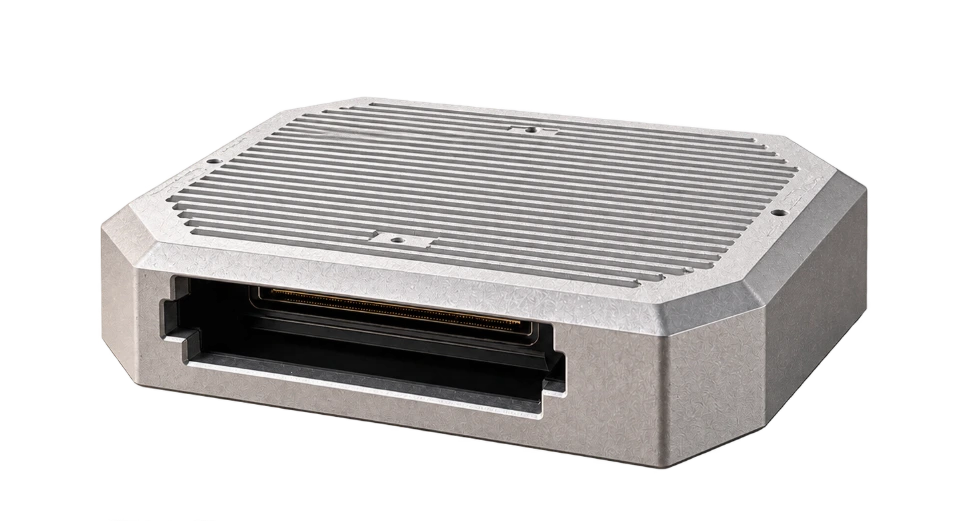
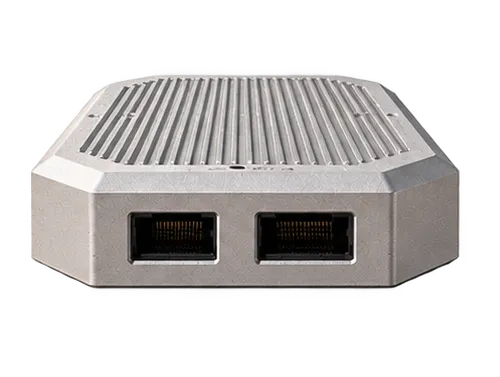
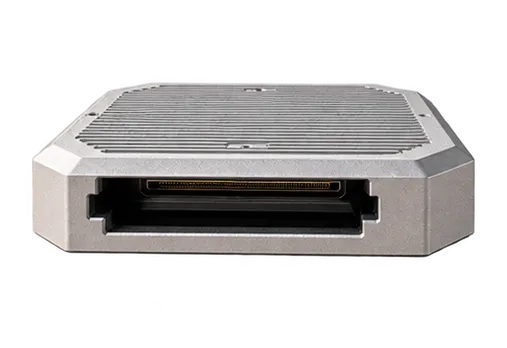
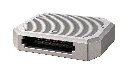
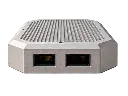
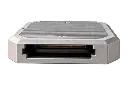
DevOptix is a compact USB programmer for optical transceivers. Plug it into your computer, insert a module and open the DevOptix workspace in your browser. There is nothing to install, and the box is powered by the same USB cable.
- Read and program SFP, SFP+, SFP28, QSFP+, QSFP28 and QSFP-DD modules
- Edit and back up EEPROM pages before you write
- Monitor temperature, voltage, optical power and transmit bias live
- Retune tunable DWDM optics by channel, frequency or wavelength
Specifications
- Supported form factors
- SFP, SFP+, SFP28, QSFP+, QSFP28, QSFP-DD
- Memory maps
- SFF-8472 (SFP), SFF-8636 (QSFP), CMIS (QSFP-DD)
- Wavelength tuning
- SFF-8690 tunable SFP+; CMIS coherent 400ZR (QSFP-DD)
- Programming
- EEPROM read and write, BIN import and export, 4-byte EEPROM password
- Diagnostics
- Temperature, supply voltage, RX and TX power, TX bias, alarm and warning thresholds
- Software
- DevOptix browser workspace, no installation
- Supported browsers
- Desktop Chrome, Edge, Opera or Brave, from a secure (HTTPS) address
- Host connection
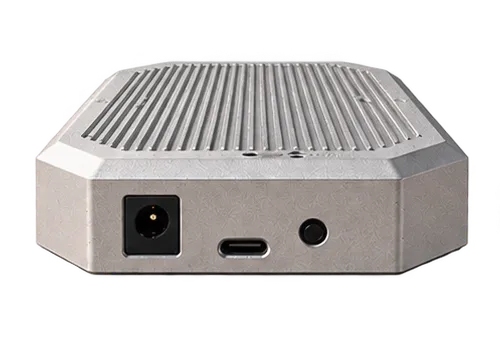
- USB Type-C on the box, USB-A on the computer
- Power
- USB bus powered, no external adapter
- Module operating mode
- Low-power mode
- Cooling
- Fanless
- Indicators
- Box state LED, module LED
- Kit includes
- DevOptix box, USB-A to USB-C cable
- Application
- Lab, staging, production, field service
Note: Only program transceivers you are authorized to modify. Inserting a module that DevOptix does not support can cause a hardware or software mismatch, and its functions are not guaranteed.
Features

Two lights tell you it is ready
Insert a module and check the LEDs before you open the workspace.
Module LED
Lights green when the inserted transceiver is in a normal state.
State LED
Lights green when the box itself is working normally.
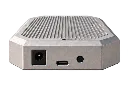
USB-C cable
Carries power and data. The USB-A to USB-C cable comes in the box.
SFP through QSFP-DD
Read and program SFP, SFP+, SFP28, QSFP+, QSFP28 and QSFP-DD modules from one box.
Nothing to install
The workspace runs in Chrome, Edge, Opera or Brave and connects to the box over USB.
One cable
USB powers the box and carries the data. No separate power adapter and no fan.
Read, edit and back up EEPROM
See each page in hex and ASCII side by side, with every byte labelled by the field it belongs to. Changes are highlighted before anything is written, and the module stays untouched until you confirm.
- Save any page to a BIN file before you change it
- Load a BIN file, or drag one onto the page
- Basic mode walks you through read, choose a profile, write
- Enter a 4-byte EEPROM password for protected modules
Live diagnostics
Watch temperature, supply voltage, optical power and transmit bias while the module sits in the box.
- RX power, TX power and TX bias for every lane
- Alarm and warning thresholds beside each reading
- Refreshes once a second, with reading history graphs
Wavelength tuning for DWDM optics
Retune SFF-8690 tunable SFP+ modules across their ITU grid. Pick a channel on the ruler, or type a channel, frequency or wavelength, and DevOptix shows the move before you apply it.
- Current and target channel side by side, with the size of the change
- A confirmation before the laser retunes, and a one-click revert after
- CMIS coherent 400ZR modules: stage grid spacing, channel and application
Up and running in three steps
From unboxing to your first read.
Connect
Plug DevOptix into your computer with the USB cable, then insert the transceiver.
Open the workspace
Open DevOptix in Chrome or Edge and select the box when the browser asks.
Read and program
Read the module, then edit, tune or write. Nothing changes on the module until you confirm.
Questions & Answers
Ask a question-
Which transceivers can DevOptix program?
SFP, SFP+ and SFP28 modules (SFF-8472), QSFP+ and QSFP28 modules (SFF-8636), and QSFP-DD modules (CMIS). Tunable SFP+ modules that follow SFF-8690 can also be retuned.
-
Can I program modules from any vendor?
DevOptix reads the standard memory map, so most compliant modules can be read. Writing depends on the module: some are password protected, and some need a vendor unlock sequence first. Only program modules you are authorized to modify. A module that DevOptix does not support can cause a hardware or software mismatch, and its functions are not guaranteed.
-
Do I need to install any software?
No. DevOptix runs in a desktop Chromium browser such as Chrome, Edge, Opera or Brave, opened from a secure (HTTPS) address. The first time you connect, the browser asks you to select the box.
-
Does the box need a power adapter?
No. The box is powered through its USB-C cable. Because it has no fan and no external power supply, it runs modules in low-power mode.
-
Can I back up a module before I write to it?
Yes. Save any EEPROM page to a BIN file first. When you load a BIN file, the bytes that would change are highlighted, and nothing is written until you confirm the write.
-
Can I apply the same coding to several modules?
Yes. Keep your BIN files in the file library, then for each module read it, choose the profile and write. When writing pages you can leave the vendor name, part number, serial number and date code untouched on each module.
-
Can DevOptix change the wavelength of a DWDM module?
Yes, on tunable SFP+ modules that follow SFF-8690. Enter a channel, frequency or wavelength, or pick a channel on the grid. DevOptix snaps it to the module's own channel plan and asks you to confirm before retuning. On CMIS coherent 400ZR modules you can stage the grid spacing, channel and application, which the module applies at its next data path initialization.
-
Why does TX power read zero while the module is in the box?
The box holds the module's transmit disable line, so the laser stays off on the bench and TX power reads zero. Settings you write, including a new wavelength, take effect once the module is enabled in a host.
-
A module stopped responding after I inserted it. What should I do?
Use Power cycle and read in the DevOptix options. It restarts power to the module before reading, and is meant for modules that stop responding after insertion.
Customer Reviews
Write a reviewResources
-
Visit DevOptix
DevOptix workspace
Open the browser workspace to connect your box.
-
Download
DevOptix hardware manual
Box connections, status LEDs and supported modules.
-
Download
Quick start guide
Connect the box, open the workspace and read your first module.
Overview
DevOptix Transceiver Programmer for SFP, QSFP and QSFP-DD Modules
DevOptix is a compact USB programmer for optical transceivers. Plug it into your computer, insert a module and open the DevOptix workspace in your browser. There is nothing to install, and the box is powered by the same USB cable.
- Read and program SFP, SFP+, SFP28, QSFP+, QSFP28 and QSFP-DD modules
- Edit and back up EEPROM pages before you write
- Monitor temperature, voltage, optical power and transmit bias live
- Retune tunable DWDM optics by channel, frequency or wavelength
Specifications
- Supported form factors
- SFP, SFP+, SFP28, QSFP+, QSFP28, QSFP-DD
- Memory maps
- SFF-8472 (SFP), SFF-8636 (QSFP), CMIS (QSFP-DD)
- Wavelength tuning
- SFF-8690 tunable SFP+; CMIS coherent 400ZR (QSFP-DD)
- Programming
- EEPROM read and write, BIN import and export, 4-byte EEPROM password
- Diagnostics
- Temperature, supply voltage, RX and TX power, TX bias, alarm and warning thresholds
- Software
- DevOptix browser workspace, no installation
- Supported browsers
- Desktop Chrome, Edge, Opera or Brave, from a secure (HTTPS) address
- Host connection
- USB Type-C on the box, USB-A on the computer
- Power
- USB bus powered, no external adapter
- Module operating mode
- Low-power mode
- Cooling
- Fanless
- Indicators
- Box state LED, module LED
- Kit includes
- DevOptix box, USB-A to USB-C cable
- Application
- Lab, staging, production, field service
Note: Only program transceivers you are authorized to modify. Inserting a module that DevOptix does not support can cause a hardware or software mismatch, and its functions are not guaranteed.
Features
Two lights tell you it is ready
Insert a module and check the LEDs before you open the workspace.
Module LED
Lights green when the inserted transceiver is in a normal state.
State LED
Lights green when the box itself is working normally.
USB-C cable
Carries power and data. The USB-A to USB-C cable comes in the box.
SFP through QSFP-DD
Read and program SFP, SFP+, SFP28, QSFP+, QSFP28 and QSFP-DD modules from one box.
Nothing to install
The workspace runs in Chrome, Edge, Opera or Brave and connects to the box over USB.
One cable
USB powers the box and carries the data. No separate power adapter and no fan.
Read, edit and back up EEPROM
See each page in hex and ASCII side by side, with every byte labelled by the field it belongs to. Changes are highlighted before anything is written, and the module stays untouched until you confirm.
- Save any page to a BIN file before you change it
- Load a BIN file, or drag one onto the page
- Basic mode walks you through read, choose a profile, write
- Enter a 4-byte EEPROM password for protected modules
Live diagnostics
Watch temperature, supply voltage, optical power and transmit bias while the module sits in the box.
- RX power, TX power and TX bias for every lane
- Alarm and warning thresholds beside each reading
- Refreshes once a second, with reading history graphs
Wavelength tuning for DWDM optics
Retune SFF-8690 tunable SFP+ modules across their ITU grid. Pick a channel on the ruler, or type a channel, frequency or wavelength, and DevOptix shows the move before you apply it.
- Current and target channel side by side, with the size of the change
- A confirmation before the laser retunes, and a one-click revert after
- CMIS coherent 400ZR modules: stage grid spacing, channel and application
Up and running in three steps
From unboxing to your first read.
Connect
Plug DevOptix into your computer with the USB cable, then insert the transceiver.
Open the workspace
Open DevOptix in Chrome or Edge and select the box when the browser asks.
Read and program
Read the module, then edit, tune or write. Nothing changes on the module until you confirm.
Questions & Answers
Ask a question-
Which transceivers can DevOptix program?
SFP, SFP+ and SFP28 modules (SFF-8472), QSFP+ and QSFP28 modules (SFF-8636), and QSFP-DD modules (CMIS). Tunable SFP+ modules that follow SFF-8690 can also be retuned.
-
Can I program modules from any vendor?
DevOptix reads the standard memory map, so most compliant modules can be read. Writing depends on the module: some are password protected, and some need a vendor unlock sequence first. Only program modules you are authorized to modify. A module that DevOptix does not support can cause a hardware or software mismatch, and its functions are not guaranteed.
-
Do I need to install any software?
No. DevOptix runs in a desktop Chromium browser such as Chrome, Edge, Opera or Brave, opened from a secure (HTTPS) address. The first time you connect, the browser asks you to select the box.
-
Does the box need a power adapter?
No. The box is powered through its USB-C cable. Because it has no fan and no external power supply, it runs modules in low-power mode.
-
Can I back up a module before I write to it?
Yes. Save any EEPROM page to a BIN file first. When you load a BIN file, the bytes that would change are highlighted, and nothing is written until you confirm the write.
-
Can I apply the same coding to several modules?
Yes. Keep your BIN files in the file library, then for each module read it, choose the profile and write. When writing pages you can leave the vendor name, part number, serial number and date code untouched on each module.
-
Can DevOptix change the wavelength of a DWDM module?
Yes, on tunable SFP+ modules that follow SFF-8690. Enter a channel, frequency or wavelength, or pick a channel on the grid. DevOptix snaps it to the module's own channel plan and asks you to confirm before retuning. On CMIS coherent 400ZR modules you can stage the grid spacing, channel and application, which the module applies at its next data path initialization.
-
Why does TX power read zero while the module is in the box?
The box holds the module's transmit disable line, so the laser stays off on the bench and TX power reads zero. Settings you write, including a new wavelength, take effect once the module is enabled in a host.
-
A module stopped responding after I inserted it. What should I do?
Use Power cycle and read in the DevOptix options. It restarts power to the module before reading, and is meant for modules that stop responding after insertion.
Customer Reviews
Write a reviewResources
-
Visit DevOptix
DevOptix workspace
Open the browser workspace to connect your box.
-
Download
DevOptix hardware manual
Box connections, status LEDs and supported modules.
-
Download
Quick start guide
Connect the box, open the workspace and read your first module.